CI/CD does a great job producing artifacts, but build delivery is a separate operational problem. In game studios, the distribution layer is what gets those builds onto the machines that actually need them: QA rigs, build servers, external co-dev partners, and remote test environments.
Many studios solve this part with a mix of scripts, shared drives, and ad hoc coordination. That approach can work at small scale, but as teams grow and release cadence increases, machines drift out of sync across locations, networks, and time zones, and an informal process becomes a repeatability problem.
Artifact generation and artifact distribution are different systems. CI/CD usually covers the first; a distribution layer covers the second by moving builds, syncing environments, and providing a reliable path for rollback when something breaks. For a full breakdown of the distribution problem, see Secure Game Build Distribution.
How Automated Build Distribution Works
A scriptable distribution layer lets studio teams run build operations from the terminal or trigger them from CI/CD jobs. Instead of coordinating installs and updates by hand, teams can automate common tasks like installing a specific build, updating to the latest release, rolling back to a known version, launching a client, repairing an incomplete install, or queuing downloads to reduce contention across shared systems.
That matters because modern game teams often need machine-operable workflows, not browser-driven ones. In practice, that means build delivery can happen on a schedule, in CI, or on unattended machines without active supervision.
What You Can Automate
Typical automated distribution tasks include:
- Install a specific build version to a target location.
- Update an installed environment to the latest release.
- Roll back a machine to a prior snapshot or named release.
- Launch a game client from the terminal.
- Repair an incomplete or corrupt install.
- Queue downloads through an orchestration service to manage concurrent load.
Those are not just convenience features. For distributed studios, they reduce coordination overhead, make QA more repeatable, and help keep internal and external machines aligned on the same version of the game.
Solsta CLI Support
The Solsta CLI is a standalone binary with no runtime dependencies and runs on Windows 10+, macOS 12+, and Ubuntu 22+. It shares authentication state and environment data with the Desktop App, so either interface can manage the same installs, though you should avoid running both at the same time.
On macOS or Ubuntu, set the executable bit after download:
chmod +x /path/to/solsta
The full command reference is at solsta.io/resource-doc/cli-overview.
CI/CD Integration
To connect build delivery to CI/CD, install the CLI on the target machine and use machine-to-machine credentials for non-interactive authentication.
M2M tokens expire after 24 hours, so authentication is typically run at the start of each job:
# Authenticate at job start -- M2M tokens expire every 24 hours
solsta login client_credentials \
  --client_id=$CLIENT_ID \
  --client_secret=$CLIENT_SECRET
Once authenticated, a pipeline can install a compiled build directly onto a QA machine or build server without manual coordination. This fits Jenkins, GitHub Actions, TeamCity, GitLab, and any other system that can run shell commands.
solsta local install \
  --product_name=YourGame \
  --env_name=qa-daily \
  --location=/builds/yourgame/
Add --release_version to target a specific release, or --history_id to install from a snapshot. See CLI Authentication for the full M2M setup guide.
Co-Dev Build Management
Game studios often work with external QA vendors, co-development teams, outsource partners, and publishers. Those teams usually sit on different networks, in different geographies, and under different bandwidth and firewall constraints, which makes version access disorganized and unclear of the latest build version.
Current distribution methods don't tell you who has which build, which machine was updated, or whether rollback happened everywhere it needed to. That becomes especially painful when a bad build reaches external testers and no one can confirm which systems were affected or whether environment state is consistent across organizations.
A centralized platform gives external teams scoped access so they can pull the right build on their own schedule. That reduces handoff overhead for internal engineers and helps keep environments consistent.
Machine-Level Orchestration
Across shared studio environments, update flows are often pull-based: each machine manages its own build state on a schedule rather than waiting for a central push. That approach fits nightly syncs, environments, and remote QA stations that need to be ready at the start of the day.
solsta local update --all --queue
solsta queue run
The --queue flag routes downloads through orchestration so multiple machines do not overwhelm shared bandwidth at the same time. In constrained environments, that helps keep sync windows predictable even when many machines need updates overnight. Use --orch_throttle_timeout to set a limit on queue wait time, and check queue status at any time with solsta queue status.
Pre-built workflow templates for nightly syncs, CI/CD pipelines, multi-machine rollbacks, and token keep-alive are in CLI Skills and Automation.
Rollback Workflow
When a bad build ships, the problem is usually not the absence of a rollback path. Rollback depends on teams noticing the issue quickly enough and coordinating the same action across every affected machine, including external partners operating in different time zones.
A better model is to treat rollback as an operational recovery action. Solsta supports rolling back with either a snapshot ID or a known release version, which lets teams return machines to a consistent state using the same command everywhere.
Roll back by snapshot ID, available from the Desktop App's History tab:
solsta local install \
  --product_name=YourGame \
  --env_name=qa-daily \
  --history_id=b55b42a6-481d-4c92-b3d6-ad1cb1fc68f8 \
  --location=/builds/yourgame/
Or by release version, if version numbers are tracked in your CI system or git build tags:
solsta local install \
  --product_name=YourGame \
  --env_name=qa-daily \
  --repository_name=gameclient \
  --release_version=13.2.33 \
  --location=/builds/yourgame/
Keep in mind that solsta local update only moves forward, so rollback always requires local install. Name every optional repository you want to retain, since any not named will be removed from the installation, and run the same command on both internal machines and any co-dev partners that need to roll back on external environments.
External partner coordination is part of the same problem, not an optional add-on. Automation cuts down the manual work and helps teams get builds where they need to go without all the extra coordination. Solsta fits into that layer, giving game studios a more reliable way to handle delivery, sync, and rollback across internal teams and external partners.
What Is Solsta?
Solsta is a secure game build distribution platform for game studios. It operates as the operational layer between CI/CD and runtime environments, providing structured distribution, environment synchronization, coordinated machine updates, and rollback coordination from the terminal or from CI/CD.
It is built for studio workflows where access control and auditability are requirements. That includes distributed production environments where environment consistency and rollback reliability are core to how teams ship.
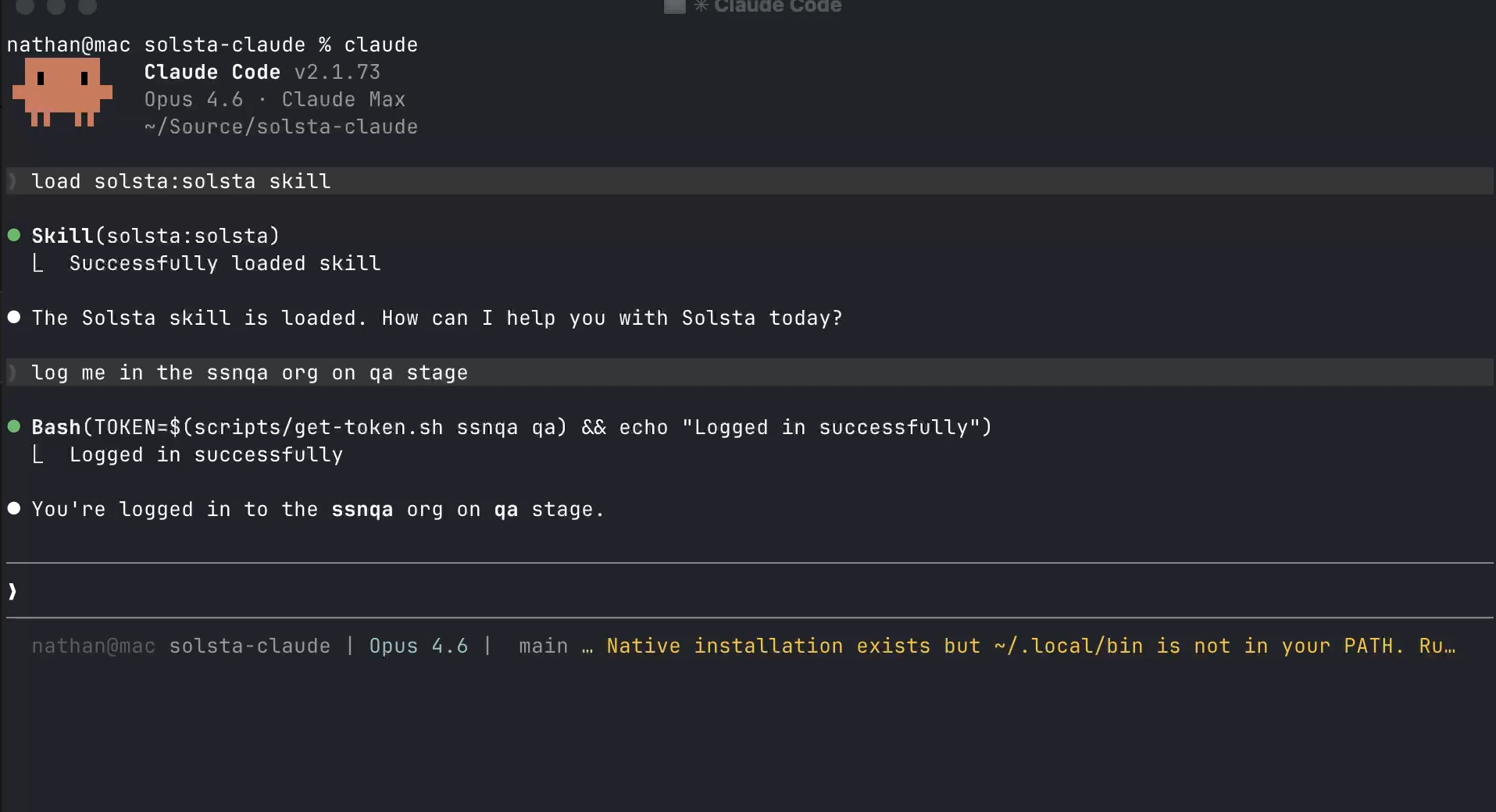
solstahq/claude-cli
Claude Skills for install, rollback & CI/CD — drop into any Claude project.
Link to GitHub: Claude CLI
FAQ
What is a CI/CD distribution layer for game studios?
It is the layer that moves compiled builds to the machines that need them, while keeping those machines in sync and giving teams a reliable rollback path.
Why isn’t CI/CD enough for build delivery?
CI/CD is good at producing the artifact, but it does not solve how that build gets installed, updated, or rolled back across QA rigs, build servers, and partner machines.
How do distributed teams stay on the same build?
They use scoped access, version-aware environments, and scripted update workflows so internal teams and external partners can pull the right version without manual coordination.
How does rollback work when multiple machines need to change?
Teams roll back to a known snapshot or release version, then run the same recovery step across each affected machine to bring everything back into sync.
Why use a scriptable distribution layer instead of shared drives?
Because shared drives and manual installs do not tell you who has which build, whether every machine updated, or how to recover cleanly when something breaks.
How do QA machines stay current overnight?
Teams usually schedule update commands on each machine so the lab syncs on its own and is ready for testing the next day.