


Environments
Repositories
Promote/Publish
Teams
Launch Buttons
Promotions
Tagging
CLI Guide


1
min
History
Overview
The Release History in Solsta shows every snapshot created for an environment. Each snapshot records the releases assigned to all repositories and their launch configurations at a specific time.
Admins can view, compare, roll back, or promote from this history.
Viewing Release History
- Open the Solsta Desktop Application.
- Select a product.
- Choose the environment you want to review.
- Click the History tab.
The History tab lists all snapshots for that environment in descending order, showing the most recent at the top.
Each entry displays the version information for each repository and indicates when the snapshot was created.
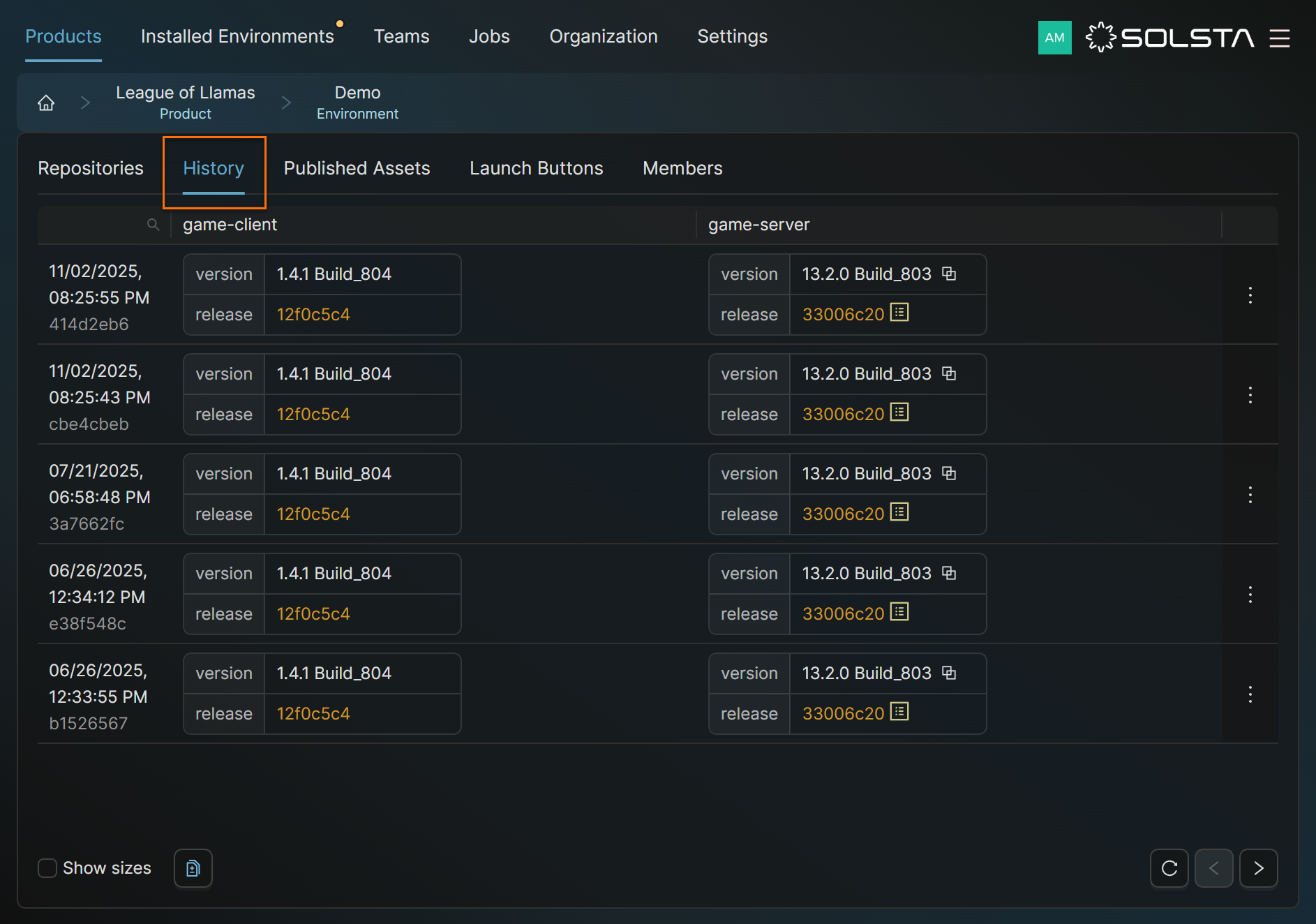
Using Snapshots
Each snapshot represents a full environment state.
- Green dots = new or updated items
- Red dots = removed or replaced
Click the Promote icon beside any snapshot to roll back or forward.
Tips
- Confirm versions before promoting or rolling back.
- Keep version names clear for easy tracking.
- Use snapshots to identify when changes or issues occurred.
DOs
DONTs
Pro Tips


