


Release Notes
Solsta 2.2.8 – Bug Fixes and Self-Sign-up
Release Date: August 4, 2026
This release updates the user sign-in flow. It also includes several interface refinements and usability improvements across the client and installer.
Note: This release focuses on client-side features and desktop application workflows. Deployment executables and CI/CD plugins do not require updates for this release.
Key Highlights
- Simplified Sign-In & Self-Service Sign-Up – The sign-in screen has been redesigned to be centered and cleaner, allowing users to enter their organization name or explore demo environments with self-service account registration.
- Social Authentication Support – New users signing up for demo environments can now authenticate using Google accounts.
- Subscription Tier Callouts – Clearer messaging and prompts have been added when attempting actions that require upgraded subscription tiers or features.
- Standardized Dialog Layouts – Action confirmation buttons (such as Install on the Install Environment modal and Publish on the Publish Snapshot modal) are now consistently placed on the right side across all modal dialogs.
- Renderer Crash Recovery Screen – Solsta now presents a user-friendly error screen if the application UI process encounters an unexpected crash, making troubleshooting and recovery easier.
Bug Fixes & Improvements
- Preserved Release Notes Links – Fixed an issue where release notes links were not copied over when promoting releases between environments through the UI.
- Pieces View Performance – Resolved an issue where viewing pieces for very large metafiles could cause the client tab to become unresponsive.
- Navigation Active State Styling – Updated vertical indicators and theme colors to clearly distinguish active products and menu selections in both light and dark modes.
- Custom Release Dropdowns for Recreated Repositories – Improved snapshot publishing flows when working with repositories that share names with previously deleted repositories.
Solsta 2.1.40 - New Log-in Flow and Authentication Service
Release Date: June 26, 2026
This release introduces a new authentication service, platform-specific improvements, and interface refinements. Solsta 2.1 migrates from the legacy authentication provider to a new identity system, improving security and laying the groundwork for future capabilities. This results in changes to the log-in flow and user invite functionality for organizations that do not use SSO integration. For complete details on the migration, please read: Authentication Service Provider Migration.
Note: The new authentication service will require updating your CI/CD pipeline with updated deployment tools and credentials by August 28, 2026. Please get the latest versions from Solsta Downloads at your earliest convenience.
Key changes
- Organization name in UI – You will now enter your organization name as part of the sign-in process within the Solsta Desktop Application User Interface, before the login prompt opens in the browser.
- Machine Token management – Existing machine-to-machine (M2M) credentials will continue to work, but are no longer visible or manageable from within the application. To delete legacy credentials, please contact Solsta Support. New M2M credentials must be created using Solsta 2.1 or newer.
- Invitations – Organization admins can invite new users and set their roles from the Members page. There is no need to wait for users to accept their invites before being able to assign their roles.
- Versions in progress bar - The version you're updating from the version you're updating to are now displayed in the progress bar during an update
macOS Changes
- "Run on OS startup" setting removed – This option has been removed from the application Settings on macOS due to conflicts with the macOS native Login Items feature. To have Solsta launch automatically, add it to System Settings > Login Items & Extensions on your Mac.
- Upgrading from 2.0.29 requires a fresh install – The self-update mechanism cannot update macOS installations from version 2.0.29 to 2.1. Please download the new DMG from the Solsta Downloads page and drag the updated app to your Applications folder.
Known Issues
Solsta 2.0.29 - Navigation & Interface Update
Release Date: February 17, 2026
This release improves navigation clarity, speeds up task switching, and streamlines core workflows across Products, Environments, and Repositories.
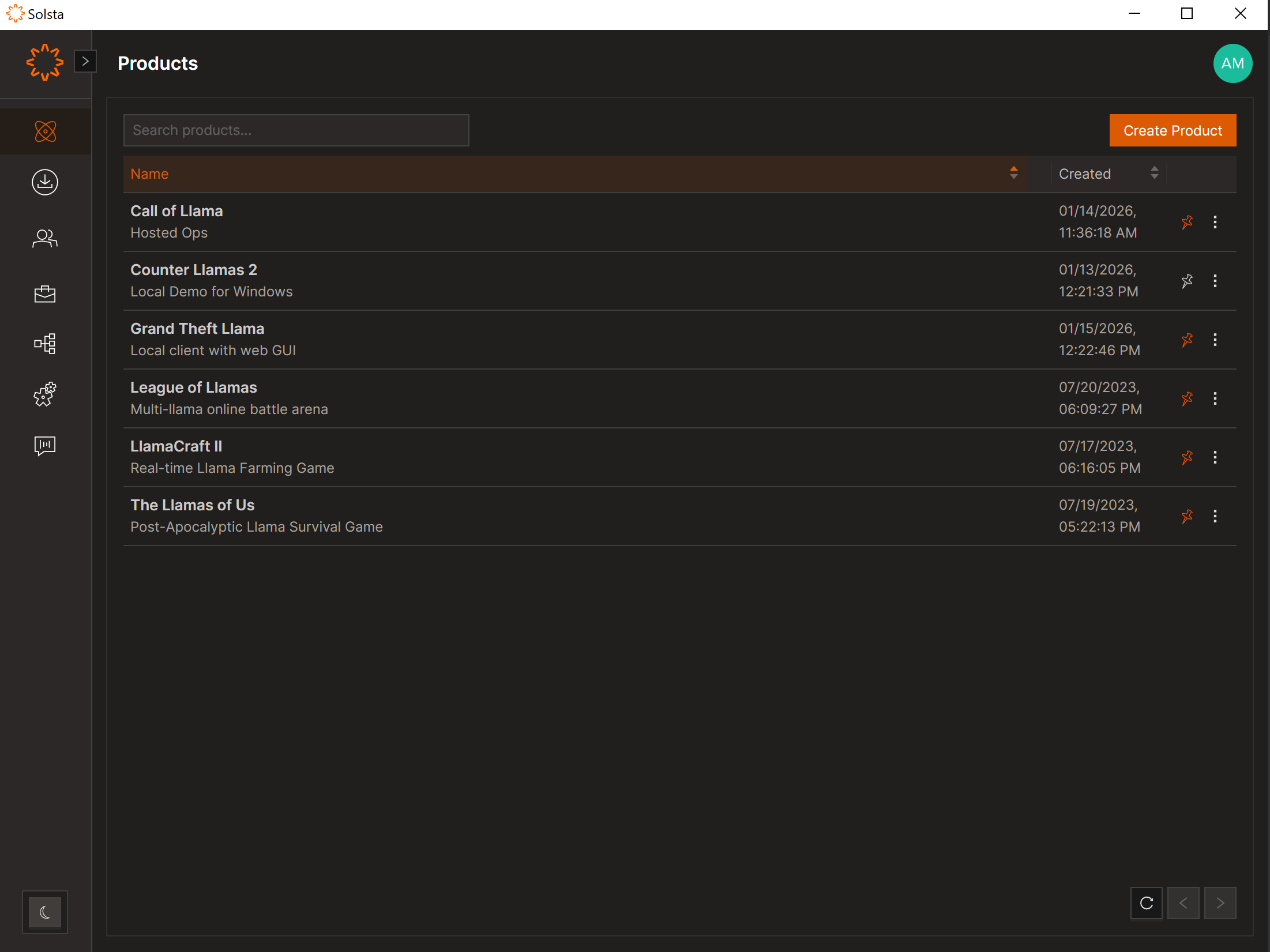
Left Navigation Redesign
- Expand and collapse functionality added
- Icon-only (skinny) mode available
- Improved hierarchy and visibility
Product Pinning
- Pin frequently used products to the sidebar for quicker access
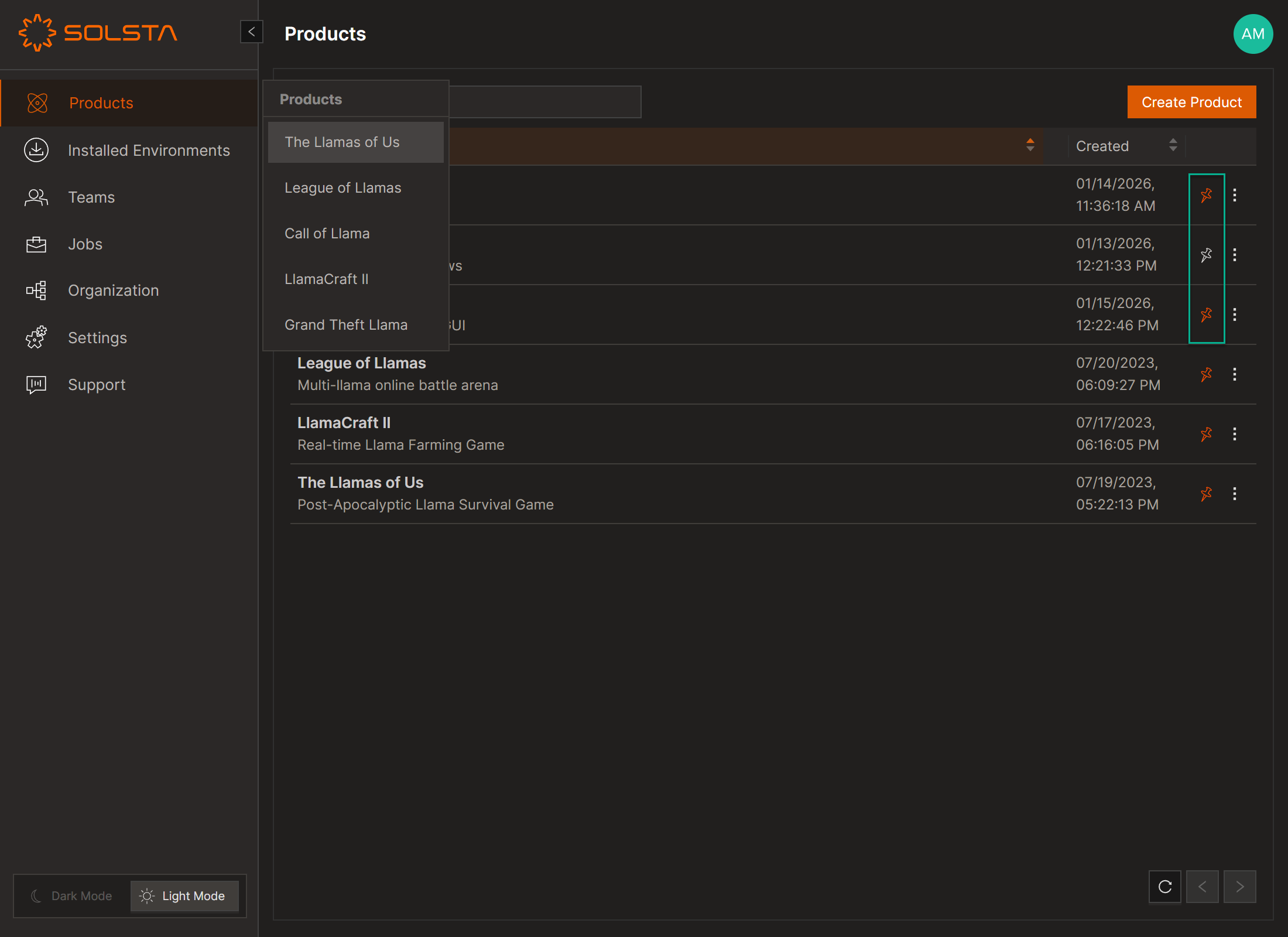
Navigation & Dropdown Improvements
- Faster switching across products and environments
- More consistent dropdown behavior across all levels
Breadcrumb Navigation
- Clickable breadcrumb path for easier backtracking
- Clearer location awareness within nested views

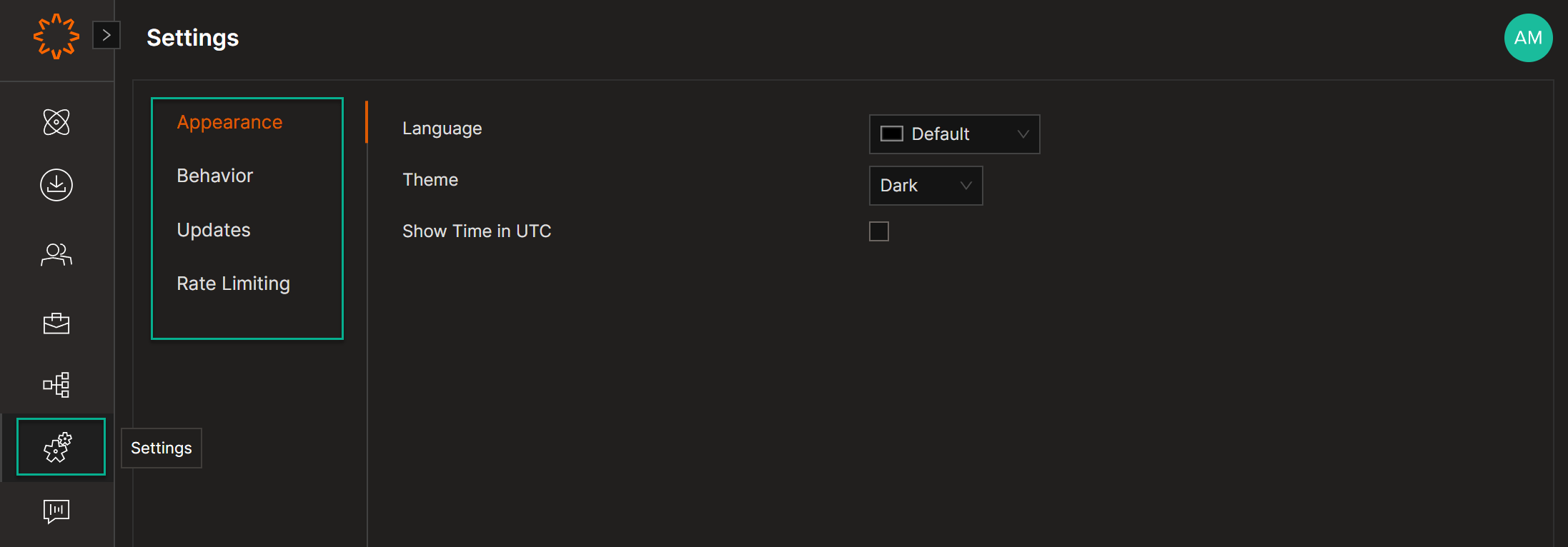
Settings Revamp
- Reorganized layout
- Improved usability and structure
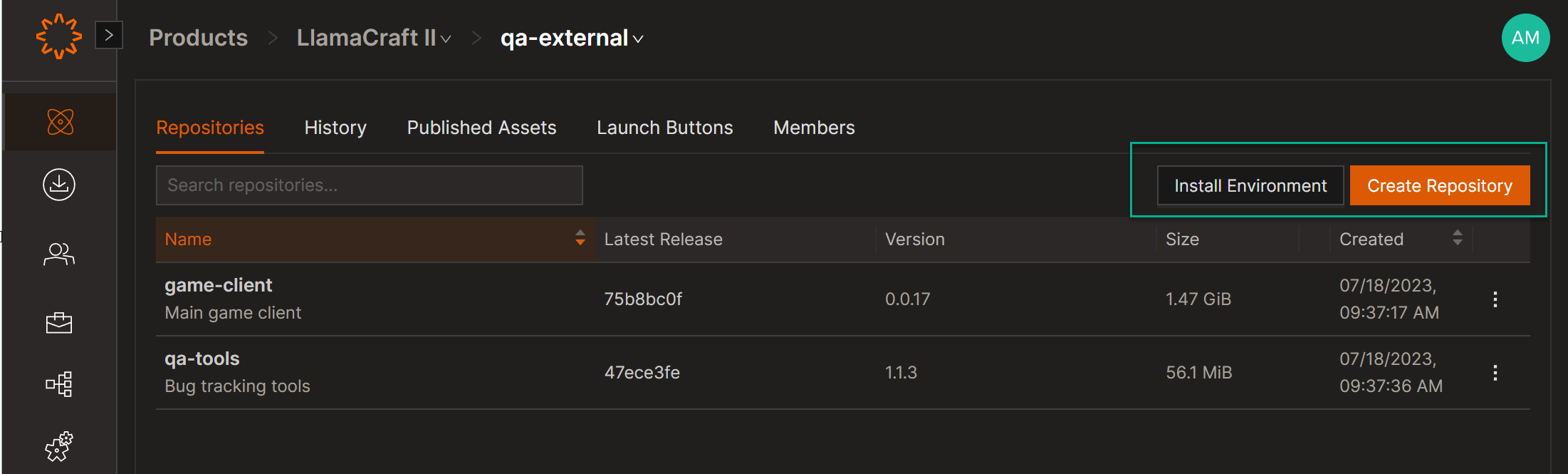
Global Action Buttons
- Action buttons - Create and Install - moved to the top-right corner
- Faster access to create products, environments, and repositories
Sidebar Enhancements
- Expandable drawer with icons and labels
- Improved active-state color indicators
Visual & UX Updates
- Updated Light and Dark mode styling
- Refined iconography
- Larger client display for better visibility
- Product tour pop-ups added for guided onboarding
- Improved use of color to distinguish active vs inactive states
New Functionality
- Configure Redirects for Caching Servers
- Switch between organizations (for users with access to multiple organizations)
Known Issues
There are several known issues involving repositories that are deleted, then re-created using the same name. We recommend avoiding re-creating repositories until these issues are addressed.
- D4T-2173 and D4T-2211: Navigation buttons are cropped on certain pages when Solsta UI is in full-screen mode
- D4T-2212: Recreating repositories causes problems when installing old snapshots
- D4T-2213: Inconsistent behavior when publishing snapshots with re-created repositories
- D4T-2267: Wrong environment status after installing an optional repository from the Installed Environments tab
- D4T-2258: Member role text is truncated in add role modal
- D4T-2273: Searching and clearing Products on the second page disables navigation buttons
- D4T-2296: Updating an environment with a recreated repository results in missing files
- D4T-2294: Products page can list published assets on new sessions if Show last visited setting is used
Solsta Version 1.19
Release Date: November 18, 2025
Solsta Desktop version 1.19 introduces the following new features.
Publish Functionality
Publishing makes Solsta deployments available for download in the original file format or an archive (.zip file).
- Who can Publish snapshots? Only users with the Admin role.
- Who can download published snapshots in Solsta? All users with access to that Environment.
- Anything else I should know? The default size limit for each publish job is 20GB.
Deletion Protection
Every object - from Products to releases and even published assets - can now be marked as protected to prevent accidental deletion. The option is available to Admin users when creating or editing an environment.

Protected objects will show a lock icon in the UI. They cannot be deleted unless the Deletion Protection option is removed first.

Improvements
- Prevent users from attempting to install an environment to a location with insufficient disk space
- Increase the default font size
- Add ability to reorder environment launch buttons from 2nd page
- Improve some error messages
- Various UI Improvements
Bug Fixes
- Fixed: Incorrect error message when there is insufficient disk space
- Fixed: Partial obscured notifications
- Fixed: Search functionality leads to an error page
- Fixed: Buttons disappear if item names are long
- Fixed: File list does not fit on Release page when many attributes are displayed
- Fixed: Error when creating launch button on new environment
- Fixed: Incorrect update behavior during internet outage
- Fixed: Files from optional repository that was removed are not deleted from the disk after the environment is updated
- Fixed: Files with a large number of attributes break the UI of the File List tab
- Fixed: App does not close properly when closing at a certain stage of the installation process
Known Issues
- Copy Solsta URL button is disabled if you navigate to the product using the breadcrumb
- Unable to download published assets greater than 5GB
Version 1.18
Release Date: September 23, 2025
Solsta Desktop Client 1.18 comprises various UI changes and minor bug fixes.

Improvements
- D4T-1347: Display release tags in Installed Environments tab
- D4T-1659: Support comparing two snapshots
- D4T-1789: Breadcrumb on Teams and User pages
- Various UI Layout improvements
- D4T-1951: Add ability to copy URL protocol for current page
Bug Fixes
- D4T-828: Installed environments status hangs on checking for update
- D4T-1090: Items do not fit on the page when there are items with large number of characters in description
- D4T-1621: Reset visited tours when signing user out
- D4T-1660: Update self-update messages to not use product name
- D4T-1687: Add support for uninstalling repositories between syncs
- D4T-1838: Fix cropped tags on the Releases screen
- D4T-1858: Fix long name does not have ellipsis in machine table
- D4T-1859: Fix delete from orchestration not happen in rare instances
- D4T-1875: Fix intermittent incorrect status up to date appears during installation
- D4T-1876: Fix update button not available after orchestration error
- D4T-1877: Fix broken install not resuming with correct state
- D4T-1878: Fix promote snapshot when not overwriting launch buttons
Known Issues
- D4T-1967: Install issues for environments with specific promotion conditions
- D4T-1974: Tags from the previous snapshot are displayed in the Installed Environments tab
- D4T-1983: Files from optional repository that was removed are not deleted from the disk after the environment is updated
- D4T-1986: Files with a large number of attributes break the UI of the File List tab
- D4T-1987: The app does not close properly when closing at a certain stage of the installation process


