


Environments
Repositories
Promote/Publish
Teams
Launch Buttons
Promotions
Tagging
CLI Guide


2
min
Create Environment
Overview:
An Environment is a deployable state of a Product (e.g., Dev, QA, Production). Environments enable install, update, and rollback with version control.
Includes:
- Repositories
- Release snapshots
- Delta update paths
In order to create an envrionment - Admin access required.
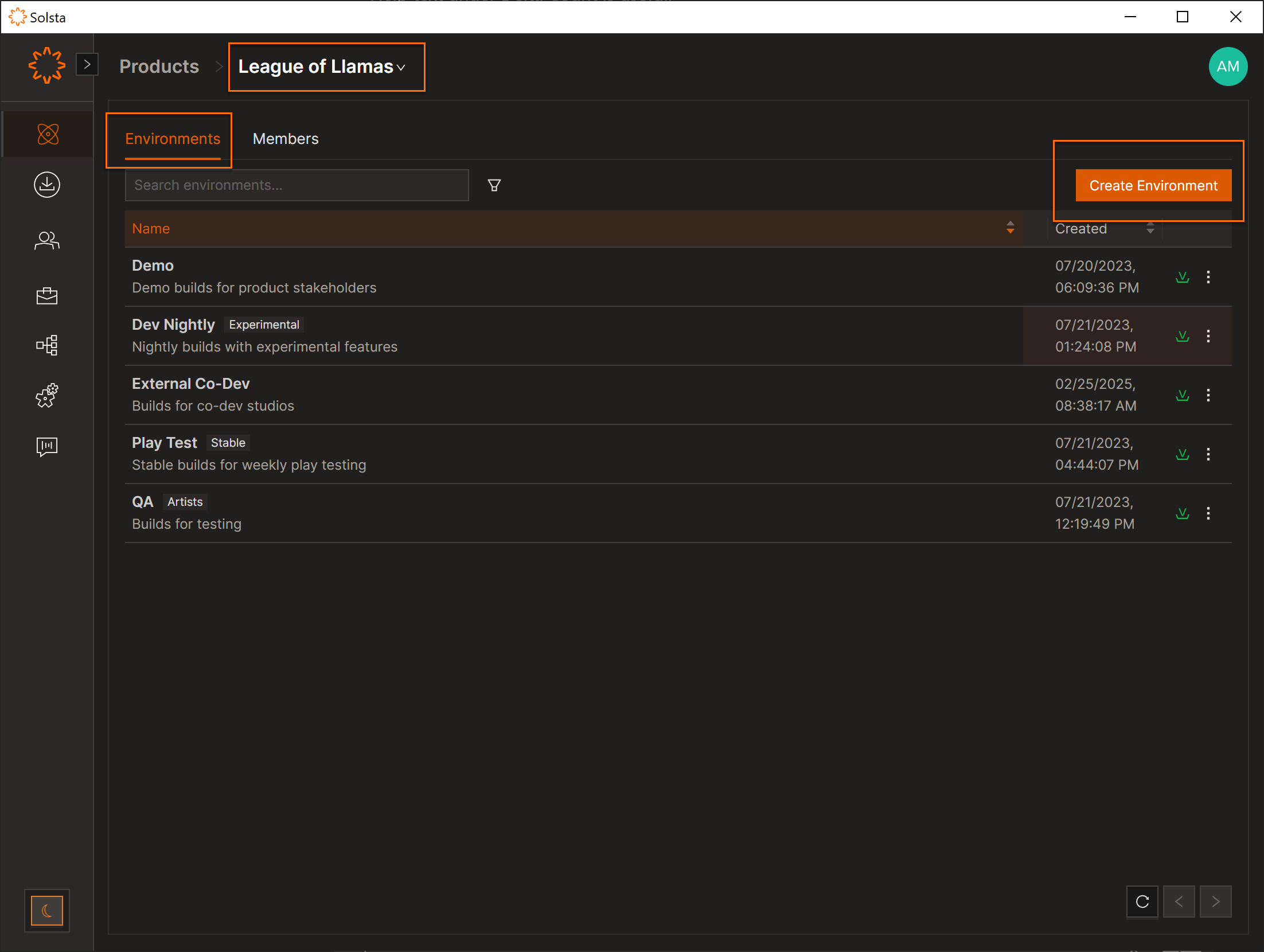
- Open Product → Environments.
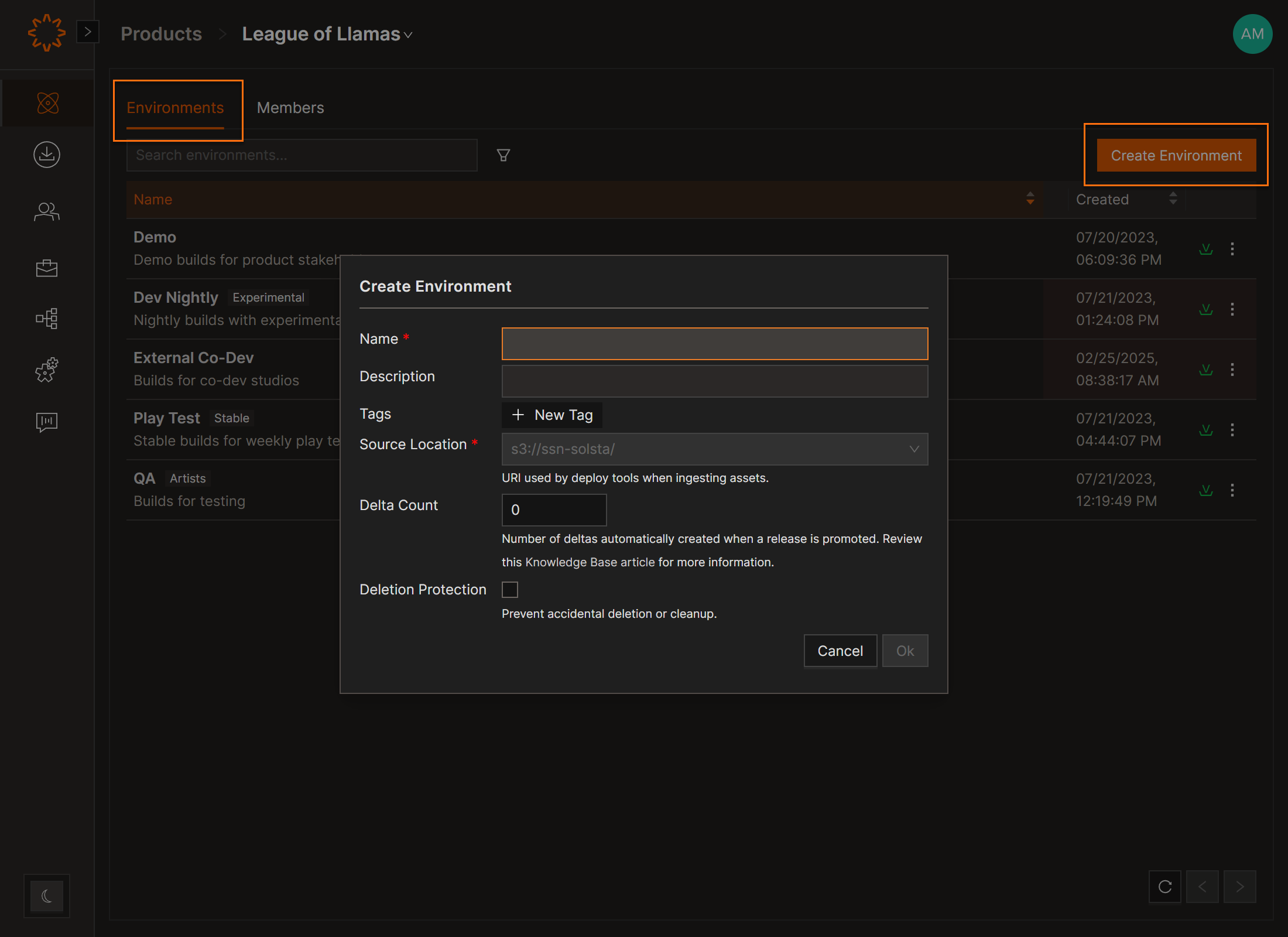
- Click Create Environment.
- Enter:
- Name (required)
- Description (optional)
- Source Location
- Update Path Count
- Click Create.
Block-Level Differencing: Tracks and processes only changed data blocks instead of whole files, improving efficiency. Continues even when Deltas are disabled.
DOs
DONTs
Pro Tips
The Update Path Count controls how Solsta generates delta updates. Setting this to 0 disables deltas.


