


Environments
Repositories
Promote/Publish
Teams
Launch Buttons
Promotions
Tagging
CLI Guide


min
Update Product
Overview:
After a Product is created in Solsta, Admins can update its name and description at any time.
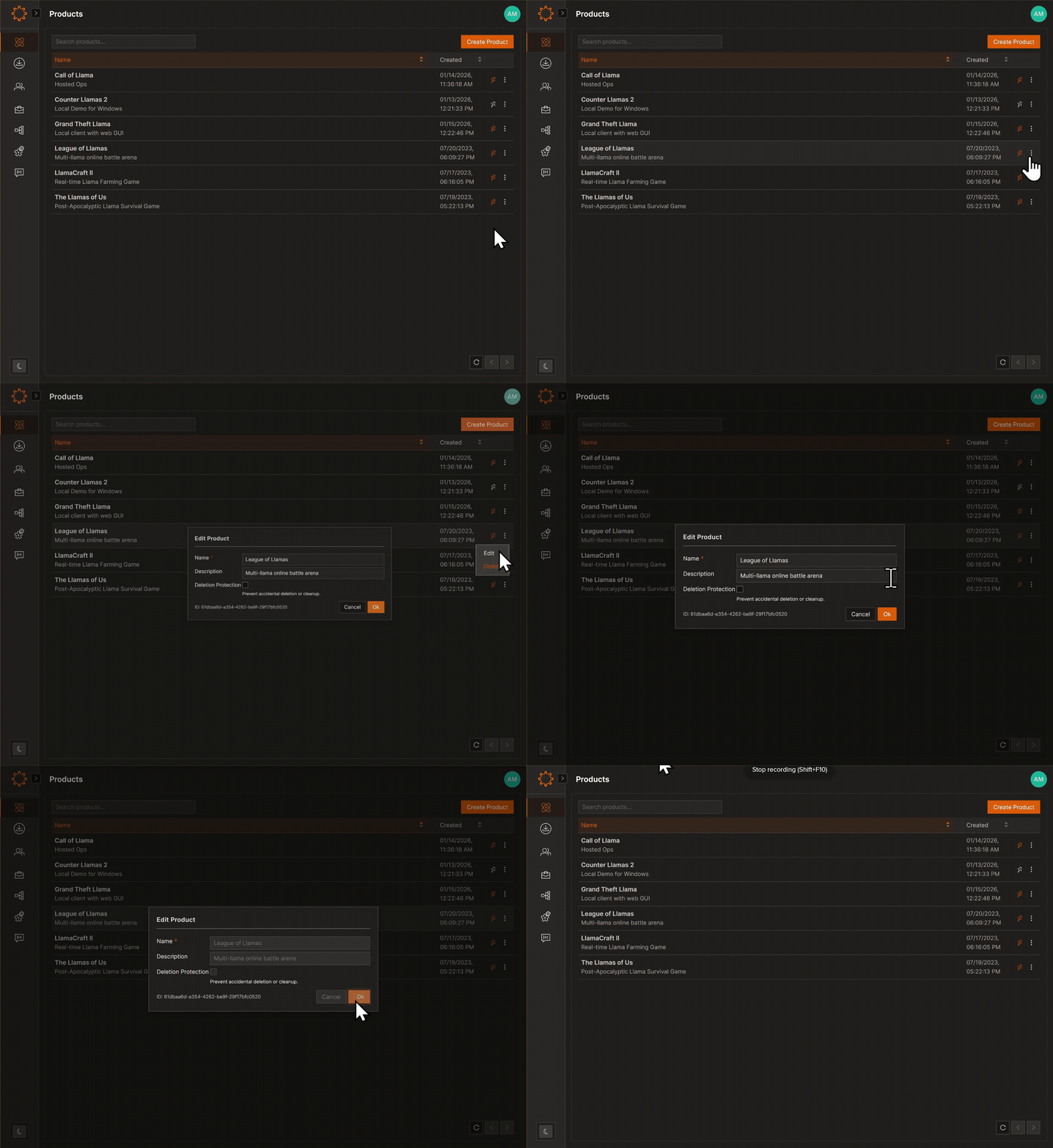
Update a Product (Admin Only)
- Go to Products.
- Open the product.
- Select the three-dot menu → Edit.
- Make updates and click Save.
- Return to Products to confirm changes.
- If needed, click Refresh (bottom right).
Note: Updating a Product does not modify Environments, Repositories, or Entitlements. Manage those separately.
DOs
Note: Updating a Product does not affect Environments, Repositories, or Entitlements. Those must be managed separately.
DONTs
Pro Tips
Only Organization Admins or Product Admins can edit Product details.


