


Environments
Repositories
Promote/Publish
Teams
Launch Buttons
Promotions
Tagging
CLI Guide


2
min
Update Repository
Overview:
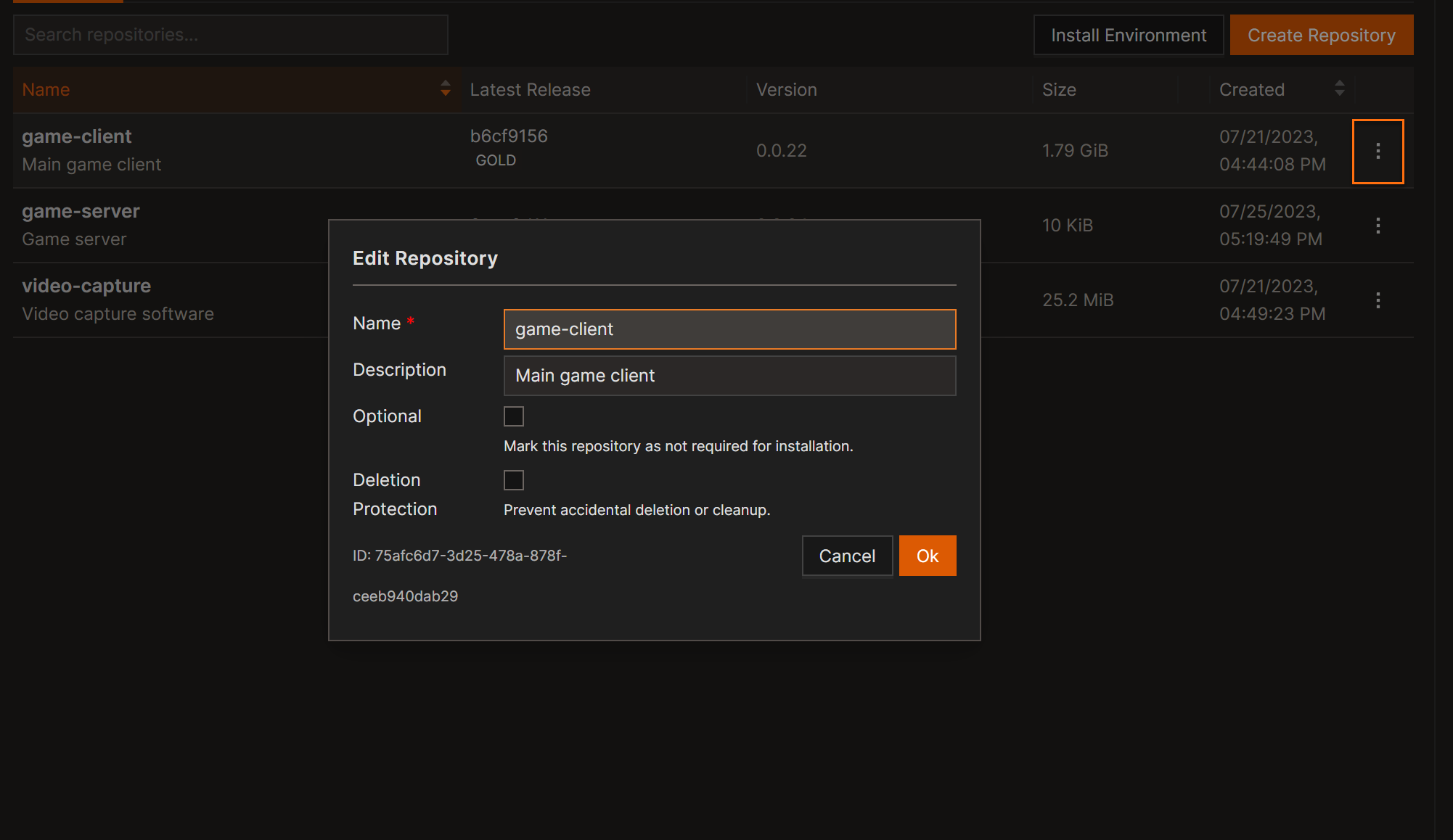
Repositories can be updated to modify descriptions, toggle optional status, or synchronize configuration changes to the environment.
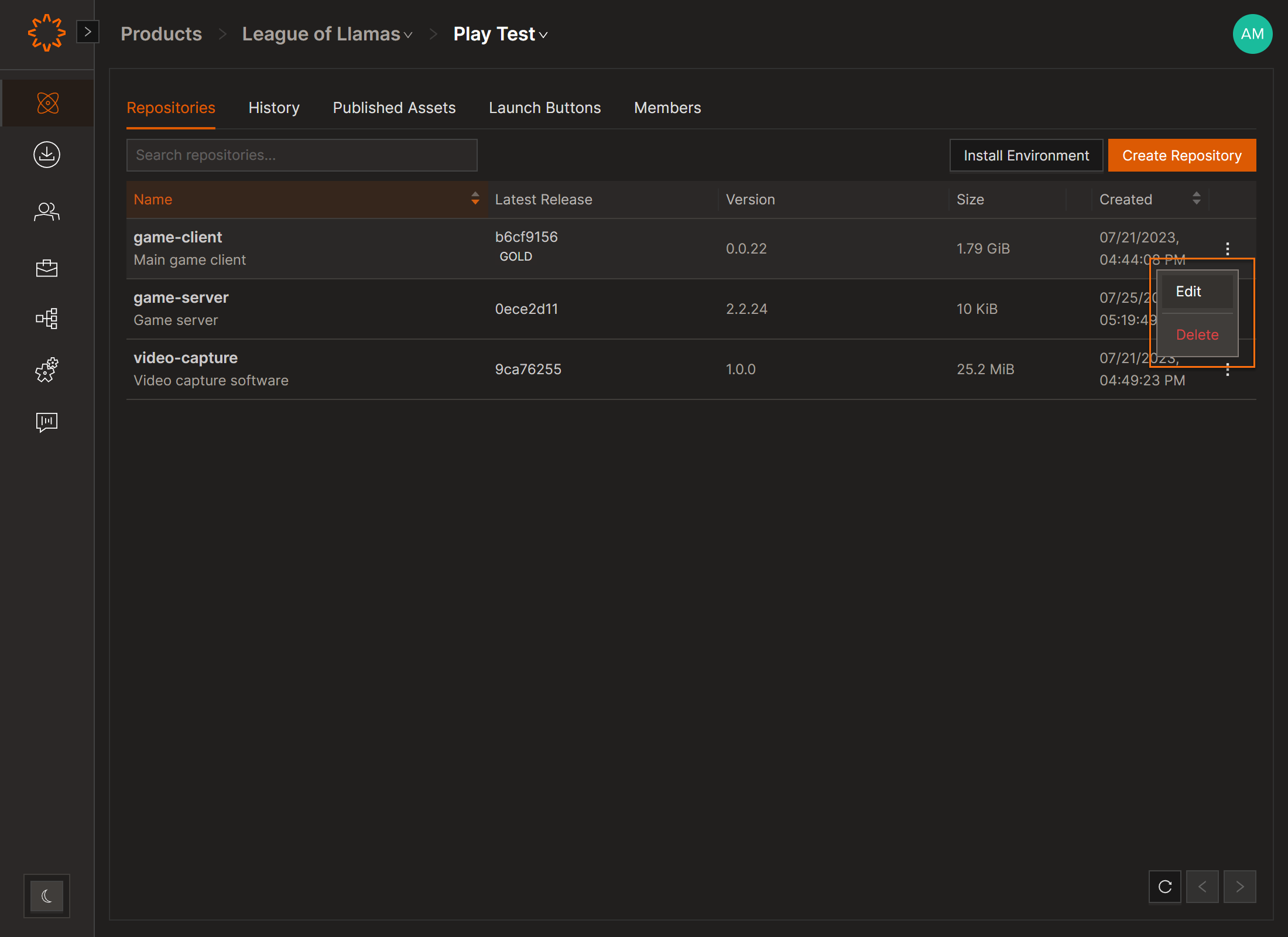
Edit/Delete Repository
- Open the Repositories page for the selected environment.
- Click the repository name.
- Click the three dots and edit/delete
- Click OK to apply changes.
Changes apply immediately across environments connected to the same Product.
Update via CI/CD
You can modify repositories using the Solsta manifest executable or plugin task:
manifest --object=repository --task=update --product_name=Cars --env_name=Toyota --repository_name=Camry --description="Updated repository description" --console_credentials=/path/to/solsta_auth.json
Best Practices
- Use consistent naming conventions across pipelines.
- Avoid frequent optional/required toggling.
- Always verify changes in the Solsta Desktop App after pipeline updates.
DOs
DONTs
Pro Tips


